Service Offerings

Explore tailored services designed to solve business challenges and support growth

Industries

Discover industry-focused expertise built to meet unique business needs

Partners

Meet our service partners who strengthen delivery and support client success

Meet our service partners who enhance our capabilities, strengthen service delivery, and help drive successful outcomes for our clients.

Learn how to modernize data foundations to enable trusted, scalable AI.

Global supply chain leader in apparel embarks on unified analytics strategy with Microsoft Fabric

See how a unified data strategy built faster insights and scaled analytics.

Microsoft solutions partner for Data & AI

Products

Explore our digital products built to streamline work and drive growth every day

Partners

Meet our product partners who enhance our solutions and expand client value

AI-powered automated
 regression testing: Your
kickstart for 2026

Explore a better way to speed up testing and improve release quality.

Resources

Access blogs, case studies, events, and insights that support smarter decisions.

Latest Resources

CASE STUDY

HamiltonJet transforms regression testing on Infor CloudSuite with Fortest

NEWS

Fortude earns Microsoft Azure Infrastructure Solutions designation

Our People

Discover a culture where you can grow and shape what’s next

Everyone can grow at Fortude

We believe in creating a global workplace where everyone can grow. This is amplified by our teams, who say the best thing about Fortude is our culture, one that is brought to life by a diverse team that spans across continents.

Latest

Fortude builds momentum for women in tech with all-female Ignite 2.0 tech internship

Aug 22, 2025

Pioneering innovation and inculcating learning in the age of AI

Aug 01, 2024

About Us

Learn who we are, what we do, and the values that drive our growth

News & Events

Stay updated with Fortude news, events, stories, and company highlights.

Contact Us

Get in touch with our team to ask questions or start a conversation

Your nearest office- Sri Lanka

Fortude (Pvt) Ltd
146 Kynsey Road, Colombo 7, Sri Lanka

Email – talk-to-us@fortude.co
Phone – +94 11 453 1531
What defines us goes beyond what we do

Every day, we bring together diverse perspectives, strong leadership and responsible thinking to build a business that creates lasting value for our clients, people and communities.

Fortude secures major Solutions Partner achievement with Analytics on Microsoft Azure Specialization

Office locations

Microsoft Dynamics 365 consulting

Beyond go-live: How to keep Business Central delivering value year after year

< 1 min read

April 24, 2026

Share

Business Central support and managed services are what makes the ERP implementation a long-term business asset. As important as go-live is, the most important part is what happens after: how quickly issues are resolved, how reporting improves, how enhancements are prioritized, and how the system keeps pace with new business needs and Microsoft release cycles.

Many organizations still treat ERP as a project with a finish line, the launch. A system that is technically live can still underperform commercially if reporting is weak, workflows remain manual, users create workarounds, or new features are never operationalized.

Fortude sees this often in post-implementation environments: the platform is in place, but the operating model around it is incomplete. That is where Business Central support and managed services become critical.

Understanding Business Central support and managed services

Microsoft positions Business Central as a platform for managing finance, sales, purchasing, inventory, reporting, and more.

Post-go-live support for this ERP includes:

  • Incident and issue resolution
  • SLA-driven user support
  • Performance monitoring
  • Enhancement delivery
  • Reporting and dashboard improvements
  • Release management and testing
  • Security, permissions, and environment administration
  • Integration support
  • Roadmap planning for continuous improvement

Fortude’s Microsoft Dynamics 365 consulting supports optimization and continuous improvement, helping organizations get more value from Business Central. Our managed services and support keep your ERP performing at its best through proactive monitoring, enhancements, and SLA-driven support.

Why ERP ROI often drops after go-live

ERP ROI drops after go-live when companies stop investing in adoption, optimization, and change management.

It is easy to underestimate the post-implementation phase because the hardest visible milestone has already passed. But business conditions change quickly, reporting needs evolve, new entities are added, and new capabilities are released. All of this means businesses cannot be static and must constantly adapt.

A Microsoft-commissioned Total Economic Impact study by Forrester found that organizations using Microsoft Dynamics 365 Business Central achieved a 209% ROI over three years.

Signs to move from reactive support to managed services

You should move to a managed services model when Business Central becomes operationally important enough that reactive support is too slow, too fragmented, or too risky.

That point usually comes sooner than expected. Common signs include:

  • Users raising the same issues repeatedly
  • Reports taking too long to build or reconcile
  • Integrations needing constant manual intervention
  • New requirements stacking up with no prioritization process
  • Internal IT lacking Business Central capacity
  • Update testing being delayed or skipped
  • Leadership asking for more insight than the current system provides

Think of it as a support-only model that keeps the lights on, while a managed services model helps the system mature.

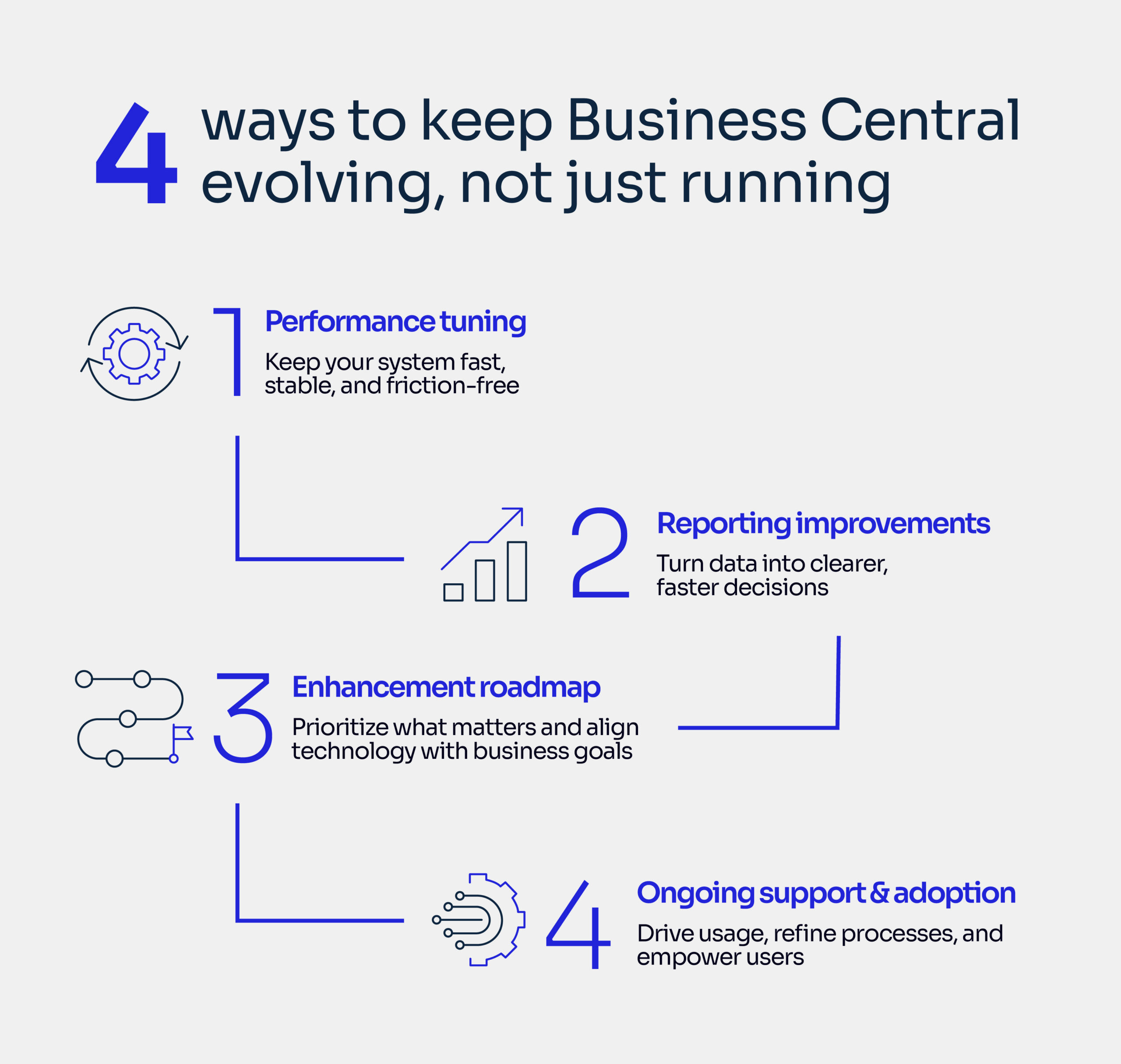
Areas of Business Central that should be optimized over time

1. Performance tuning

Performance issues quietly damage adoption. Slow pages, inefficient customizations, weak job queue design, and poorly governed extensions all affect user confidence.

A managed services team should regularly review:

  • Extension impact
  • Background jobs
  • Integration reliability
  • Role-based page usage
  • Permissions and environment hygiene

2. Reporting improvements

Reporting is one of the fastest ways to unlock more ERP value. Many businesses go live with “good enough” reporting, then realize leadership needs different views by product, region, customer, channel, or entity.

Business Central supports financial analytics, built-in reporting, Power BI integration, and data analysis capabilities, but these still need business-led design and continuous refinement.

3. Enhancement roadmaps

Enhancements should not be handled as random requests. The right model is a prioritized roadmap tied to business goals.

For example:

Business goal
Typical Business Central improvement
Faster month-end close
Approval automation, journal controls, reporting redesign
Better inventory visibility
Item tracking clean-up, warehouse process updates, dashboard enhancements
Higher order processing efficiency
Workflow automation, integration fixes, exception handling
Better leadership reporting
Power BI models, role-based dashboards, master data improvements

4. Ongoing support and adoption

Support is not just technical. It is operational. Good support identifies where users are struggling, where process design is weak, and where training needs to be refreshed.
Manufacturing, distribution, and retail teams do not fail for the same reasons. In manufacturing, planning and inventory discipline often need reinforcement. In distribution, integration reliability and order visibility matter more. In retail, reporting cadence and exception management usually drive the urgency.

Risks from treating Business Central as a finished project

The biggest risk is not system failure. It is slow underperformance that becomes normalized.

That usually looks like:

  • More spreadsheet work outside the ERP
  • Lower trust in reports
  • Delayed decision-making
  • Backlogs of unresolved change requests
  • Poor release readiness
  • Reduced user adoption
  • Missed opportunities to use new functionality

Microsoft continues to introduce features across release waves, including AI, analytics, and automation capabilities. Without a clear owner for review, testing, and rollout, organizations often pay for platform progress they never operationalize.

How do you get started with Business Central support and managed services?

Start with a post-go-live health check, then build a practical 6-to-12-month optimization plan.

That plan should cover:

  • Current pain points by function
  • An open enhancement backlog
  • Reporting gaps
  • Performance and integration review
  • Support model and SLAs
  • Release management processes
  • Testing approach
  • Governance and prioritization cadence

This is where Fortude can add value. Fortude’s Microsoft Dynamics 365 consulting capability spans implementation, optimization and continuous improvement, managed services and support, and integrations and extensions. The point is not to over-engineer the environment. It is to make sure Business Central keeps delivering measurable business value long after launch.

If your Business Central environment is live but not improving fast enough, it may be time to move beyond ticket-based support and adopt a managed services model built around performance, reporting, enhancements, and continuous value realization.

Ready to build what’s next? Let’s talk

FAQ

What is the difference between Business Central support and managed services?
Business Central support typically focuses on resolving issues as they arise, such as fixing errors or handling user tickets. Managed services take a broader, proactive approach by continuously monitoring system performance, identifying improvement opportunities, enhancing reporting, and helping prioritize changes. This ensures the system evolves alongside business needs rather than simply maintaining day-to-day operations.
When should a company invest in Business Central managed services?
A company should consider managed services when Business Central becomes central to daily operations and downtime or inefficiencies start to impact performance. It’s also a good fit when support requests become repetitive, reporting needs grow more complex, or internal teams lack the time or expertise to manage ongoing improvements and system optimizations effectively.
Can managed services improve Business Central reporting?
Yes, managed services can significantly improve reporting by refining how data is structured and presented. This includes redesigning dashboards, aligning KPIs with strategic goals, and integrating tools like Power BI more effectively. It also helps reduce reliance on manual spreadsheets, ensuring more accurate, real-time insights that support better decision-making across the organization.
Does Business Central evolve after implementation?
Yes, Business Central continues to evolve after implementation through regular updates and release waves from Microsoft. These updates introduce new features in areas like analytics, automation, and AI. Organizations that stay engaged with these changes can continuously improve their system, adopt new capabilities, and ensure they are getting maximum value from their ERP investment over time.

CONTENTS

Understanding Business Central support and managed services
Why ERP ROI often drops after go-live
Signs to move from reactive support to managed services
Areas of Business Central that should be optimized over time
Risks from treating Business Central as a finished project
How do you get started with Business Central support and managed services?

Receive the latest
Fortude Newsletter
updates.

Share

Receive the latest
Fortude Newsletter
updates.

Share